
answer
Gain staging for church sound
Gain staging for church sound, step by step: where to set input gain, why it's about minus 18 dBFS, and why you leave it alone once it's set.
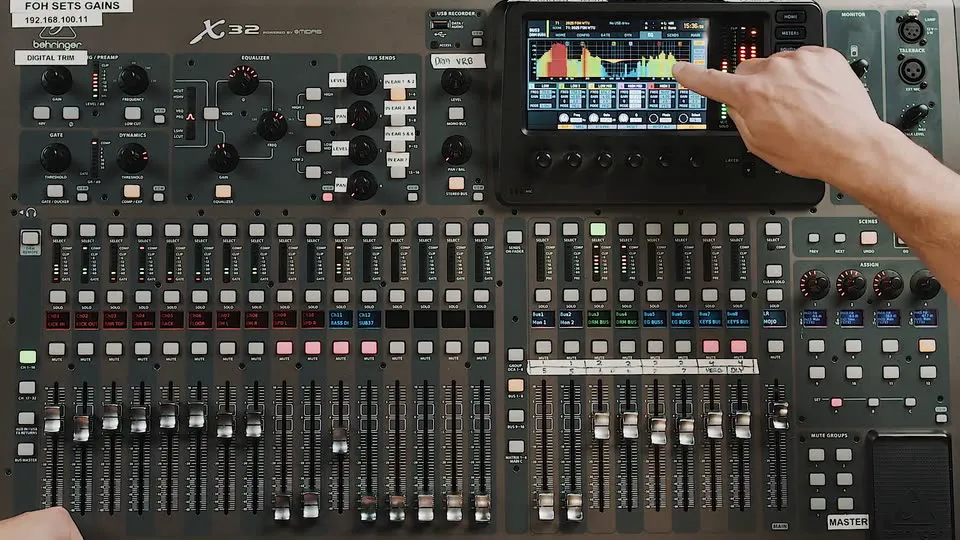 mixing the console
The short answer: gain staging for church sound means setting each channel's input gain so the loudest thing that source will do all service lands around minus 18 dBFS on the input meter (marked 0 on Allen and Heath consoles). Set it during sound check, with each musician playing their biggest, loudest part. Watch the input meter, not the output. Then leave it alone for the rest of the service.
Last checked: 12 October 2026.
Why gain matters more than anything else on the console
WorshipTechU's mixing course calls gain staging arguably the most important part of your mix. Every other thing on the channel (the gate, the EQ, the compressor, the monitor sends, the livestream feed) sits downstream of the gain knob. If the gain is wrong, everything after it is working from a bad starting point.
Here's the part most churches miss. When a church's mix sounds different every week, the cause is often a missing process for setting gains the same way every single week, far more than any of the little mix moves. Fix that and a lot of other problems quietly go away.
The target: about minus 18 dBFS
On most digital consoles, aim for the loudest moments of each input to hit around minus 18 dBFS (shown as -18 on the meter). That's line level. On Allen and Heath consoles the same target is marked 0.
Why not hotter?
- Line level is where the console works best. Signal to noise and the conversion from analog to digital are at their best there.
- Channel headroom. A singer who pushes harder in the bridge still has room.
- Bus headroom. This is the one people forget. All your channels add together on the way to the main mix. Gain everything near the top of the meter and by the time it's combined, compressed and hitting the master bus, you're clipping.
Too cold is a problem too. Set gain too low and the compressor never gets enough signal to do anything, so you end up dragging its threshold somewhere strange to make it work.
How to set it, one channel at a time
- Ask for the loudest version. Gain is set for the biggest moment of the service, so ask each player for exactly that: the hardest hits, the most overdrive, effects on. For a kick, ask for steady quarter notes, big and firm.
- Select the channel and watch the input meter while they play.
- Turn the gain until the loudest hits land around minus 18 dBFS.
- Bring the fader up and check it sounds like what it is and nothing is broken.
- Fader down. Next channel.
Drums take longer, because they have lots of sharp peaks. Melodic instruments have far fewer, so they gain much faster.
A few details from the course:
- Overheads on an X32 are a linked stereo pair sharing one head amp. Set the gain to whichever side is louder.
- Stereo guitar pairs: while you're there, check phase. Flip one side and listen. Fuller and more focused is right. Unnaturally wide is wrong.
- Vocals: have them sing a real chorus with the worship leader playing, at full voice. Ask a singer to say "check, check" and they'll find their real voice in the first song, and you'll be chasing gain all morning.
Then leave it alone
Once input gain is set, don't touch it. Changing gain mid service changes everything downstream at once: the compressor works harder, every in-ear and monitor mix fed from that channel changes, and anything triggered from it can stop working.
Treat a gain change after sound check as a crisis move. If you have to make one, tell everyone it affects: the musician whose ears just changed, and whoever runs the broadcast mix. For everyday level changes, use the fader. That's what it's for.
What consistent gain buys you
When gains land in the same place every week, gates open the same way, compressor thresholds land where you left them, and saved scenes actually sound like they did last Sunday. That consistency is what lets a team of volunteers on a rotation sound like one team.
New to the idea of gain at all? Start with the what is gain? course, then the sound check course. The WorshipTechU app runs on iPhone and Android (the same app, both in beta, with Android on Google Play) and on the web.
faq
questions people
ask.
What level should input gain be in church sound?
Aim for the loudest moments of each source to hit around minus 18 dBFS on the input meter. On Allen and Heath consoles that target is marked 0.
Should I change the gain during the service?
No. Use the fader for level changes. Changing gain mid service changes compression, monitor mixes and the broadcast feed all at once, so it's a crisis only move, and you tell everyone it affects.
Why does the channel clip in the service when it was fine in sound check?
Usually because the musician played softer in sound check than in the service. Ask for their loudest, biggest part when you set gain.
Which meter should I watch when setting gain?
The input or gain meter. The output meter shows the signal after EQ and compression, so it can't tell you what the preamp is doing.
Is gain the same as volume?
No. Gain sets how hard the signal hits the console's input, and the fader sets how loud that channel is in the mix.
sources
- app.worshiptechu.ca/learnread 12 october 2026 · about WorshipTechU
- app.worshiptechu.ca/learnread 12 october 2026 · about WorshipTechU
- app.worshiptechu.ca/learnread 12 october 2026 · about WorshipTechU
worshiptechu
train the team
you have.
hands-on training, an app and mentorship for church sound and worship tech volunteers.